


Jobble
3.3909.00 Reviews
App Specs
- Version
- 6.6.3
- Updated On
- License
- Free
- Downloads
- 100,000+
- Developer
- Jobble, Inc.
- Categories
- Business
- Platform
- Android
Screenshots
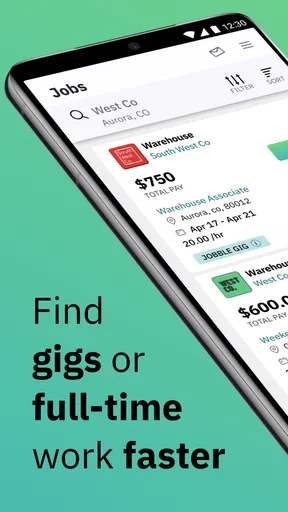
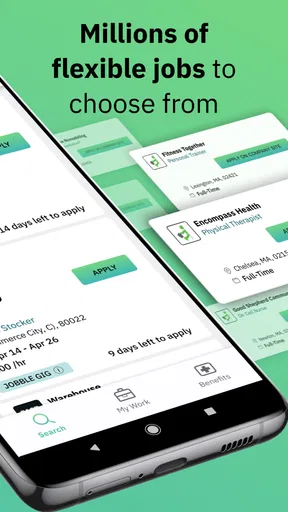
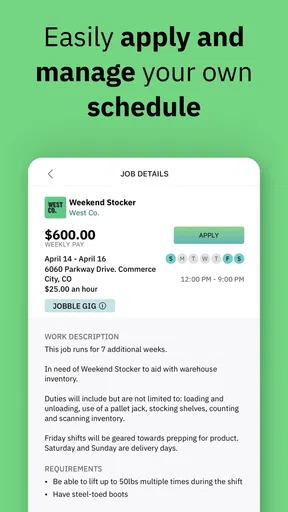
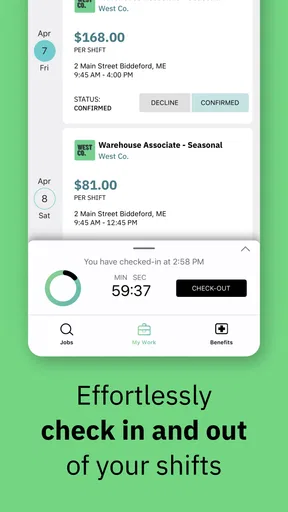
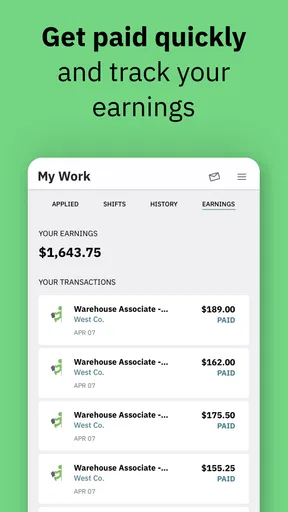

 Analysis by AppCompare
Finding short-term work sounds simple until the search itself becomes the job. I tried approaching Jobble as a practical tool rather than a full career platform, and that distinction matters. Developed by Jobble, Inc., this free Business app is aimed at people who want to discover gigs and jobs without spending a long time jumping between unrelated sources. It is available for Android, carries a Teen content rating, and has been installed over one hundred thousand times.
My first impression was that its value depends less on browsing casually and more on setting up a repeatable search habit. If you are willing to check opportunities regularly, read each listing carefully, and respond quickly when something fits, it can be useful. If you expect a complete employment service with extensive career tools, detailed employer research, and a guaranteed stream of suitable work, you may find it too limited.
Where the experience usually gets stuck
The most common frustration with a gig-finding app is not necessarily a broken screen. It is the gap between seeing an opportunity and knowing whether it is genuinely practical for you. A listing can look attractive at first, then become unsuitable once you consider travel time, schedule, required experience, or the amount of information you need before applying. Jobble is most helpful when I treat every result as a lead to evaluate, not as a promise of work.
That mindset also explains why the app can feel inconsistent from one person to another. Someone in an area with frequent temporary opportunities may find it worthwhile after a few searches. Someone looking for a very specific profession, a fixed long-term position, or work outside the app's active coverage may see fewer useful results. The tool is designed around discovery, so the quality of the experience depends heavily on what is available near you and what kind of work you accept.
I would not install it expecting an instant replacement for a traditional job board. Conventional employment sites are often stronger for permanent roles, polished company profiles, application history, and detailed filtering. Jobble makes more sense beside those services when your priority is finding flexible or short-term possibilities. Its advantage is focus; its trade-off is that it may not provide the same depth as a broad employment platform.
Another point worth understanding is the difference between speed and certainty. The store summary presents the app as a way to find gigs and jobs faster, and that is a fair description of its purpose. Faster discovery does not mean faster hiring. You still need to inspect the opportunity, decide whether it suits you, and complete whatever process the listing requires. I found that keeping expectations realistic made the app feel more useful and less disappointing.
Read listings as decisions, not headlines
My practical advice is to slow down at the exact moment a listing catches your attention. Before committing, check the schedule, location, role description, and any stated requirements. A quick response is valuable only when the opportunity is actually workable. Applying indiscriminately can waste time and make the service feel noisy, while a narrower approach helps you notice patterns in the kinds of gigs that are realistic for you.
Worth Reading Before You Choose

EA SPORTS FC Mobile 26 Is a Bigger Football Game, but It Takes Time

Flipboard Shows What News Apps Must Do Beyond the Feed

Switching to Android Auto Means Rethinking Your Driving Routine

Google Calendar Makes a Crowded Week Easier to Manage

Ludo King Makes the Most of the Minutes Between Plans

Baby Panda World Brings Quick Play to Modern Phones, but Its Game Library Feels Busy
A useful habit is to separate “interesting” from “possible today.” An opportunity might be appealing but still fail because the travel is inconvenient or the timing conflicts with another responsibility. I would save a short mental shortlist of realistic options, then return to the app when I can give each one proper attention. This is more effective than opening it repeatedly without a plan.
Setup checks that prevent avoidable problems
Jobble is free to use, but free does not mean setup is irrelevant. Before judging the app, I would make sure the device is running a compatible Android release. The listed minimum is Android seven point zero, so older phones may create problems before the app itself has a chance to work properly. On a supported device, installing the current version, 6.6.3, is a sensible first check because older builds can behave differently from the version people are currently using.
I also recommend starting with a stable connection and enough time to complete the initial account or profile steps without rushing. If a screen appears slow, a weak connection can make it look as though the app has stopped responding. Switching between mobile data and Wi-Fi, then reopening the app, is a simple general troubleshooting step. I would avoid repeatedly tapping buttons while a page is loading, since that can make the experience feel more confused than it really is.
Profile quality matters more here than many new users expect. A vague profile gives you less chance of matching the kind of work you actually want. I would enter information carefully, use consistent details, and review everything before beginning a serious search. This is not about writing a long biography; it is about making your availability and work interests understandable enough that a relevant opportunity does not look irrelevant because of incomplete setup.
Notifications deserve a deliberate decision. If you want time-sensitive gigs, alerts can help you notice new possibilities sooner. If your phone already receives many notifications, leaving every alert enabled may make the app irritating and cause you to ignore the important ones. I prefer enabling only what supports an active search, then checking the app directly when I am ready to make decisions. That balance keeps the tool useful without allowing it to dominate the phone.
Location is another practical consideration. Work searches are only useful when the area makes sense for your daily life. I would confirm that the location information used by the app reflects where I can realistically travel, rather than assuming the nearest result is automatically convenient. If results look unrelated, I would first review location and search settings before concluding that the service is malfunctioning.
A better first session
My recommended first session is short and structured. Complete the profile, inspect several listings, note the details that repeatedly appear, and then decide whether the available work fits your situation. Do not apply to everything simply to test the app. The first session should answer a more useful question: does this service show opportunities that match my schedule, skills, and travel limits?
This approach also helps with privacy and attention. You can think carefully about what information is necessary for the purpose of finding work, read the wording of each screen, and avoid making rushed choices just because the app is new to you. The Teen rating means younger users may encounter the app in the store, but anyone considering work should still make decisions appropriate to their age, local rules, and personal circumstances.
Recovering when the workflow breaks
When something goes wrong, I would troubleshoot in stages rather than immediately uninstalling. First, close and reopen the app. Then check the connection, confirm that the device has available storage, and make sure the installed version is current. If a particular page will not load, trying again later can distinguish a temporary issue from a repeatable problem. These are ordinary checks, but they prevent a lot of unnecessary frustration.
If the search results seem wrong, I would inspect the search terms and location before blaming the app. A broad query can produce opportunities that technically match but are not useful to you. A narrow query can produce very little. Adjusting one factor at a time is the best way to understand what changes the results. Changing everything at once makes it difficult to know whether the improvement came from the location, the wording, or simply a refreshed connection.
For an application that appears stuck during a sign-in or submission step, I would avoid creating several accounts or sending repeated attempts. That can make it harder to know which action succeeded. Instead, wait briefly, reopen the app, and check whether the earlier action was recorded before trying again. If the same issue happens repeatedly, note the exact screen and action involved. A precise description is far more useful than saying only that “the app does not work.”
There is also a workflow problem that looks like a technical problem: losing track of opportunities. If you browse quickly and do not record what interested you, you may later think the app failed to show anything useful. I found it better to keep a simple personal note with the role, location, schedule, and next action for each promising listing. That small habit turns a stream of results into an organized search rather than a series of forgotten screens.
Use the app as one part of a routine
A realistic routine might be checking Jobble at the beginning of the day, reviewing only opportunities that fit your availability, and following up on the strongest matches. Later, you can revisit the app when your schedule changes. This is particularly useful for someone who has open days, wants extra income, or is testing different types of work before committing to a longer-term direction.
For example, imagine that I have an unexpected free day and want a local gig. I would open the app, confirm that the displayed area is practical, compare the timing with my travel options, and read the complete listing before responding. If the opportunity requires more preparation than I can manage that day, I would skip it rather than forcing a poor match. The app helps with discovery, but the quality of the outcome comes from that final human judgment.
One non-obvious trade-off is that speed can encourage shallow screening. A fast-moving opportunity may reward prompt attention, but rushing can lead to accepting work that is inconvenient or unclear. I prefer a two-pass method: first identify possibilities quickly, then perform a slower check of the details. This preserves the app's convenience without treating every new result as urgent.
When the app is not the cause
Not every disappointing result points to a software failure. Local demand, the kind of work you want, your availability, and the information in your profile all shape what you see. If the app opens normally but the listings are not a good fit, the problem may be the market around you rather than the installation. That is important because reinstalling will not create opportunities that are not currently available.
The same applies to responses from employers or organizers. A delayed reply, changed schedule, or unavailable role can happen after the app has done its part. I would keep communication clear, confirm practical details, and avoid assuming that a visible listing guarantees a placement. Jobble can bring a lead to your attention, but it cannot remove the uncertainty that comes with temporary work.
Users seeking a conventional career search may be better served by a larger employment service or a company-specific hiring page. Those alternatives often make more sense when you need long-term progression, extensive employer information, or a formal application history. On the other hand, someone who dislikes rigid job boards and wants to explore smaller, flexible opportunities may appreciate Jobble's more direct purpose.
I would also skip it if you are unwilling to check listings regularly. A gig platform is not especially useful as a set-and-forget installation. Its value comes from active participation: keeping your details sensible, reviewing new results, and deciding quickly but carefully. If you only want to upload a résumé once and wait for recruiters, a traditional platform is likely to suit you better.
What the rating suggests, and what it does not
Jobble has an average rating of 3.3 from around 1,700 ratings, alongside more than 900 written reviews. I read that as a sign of a mixed experience rather than an automatic warning. Apps that connect people with changing local opportunities can be judged very differently depending on location, expectations, and whether a user finds relevant work quickly. The rating is useful context, but it should not replace testing the app against your own needs.
The install count, above one hundred thousand, shows that it has reached a meaningful audience, though popularity alone does not make it the right tool for every job seeker. I would use the public response as a reason to keep expectations measured: try it, evaluate the quality of nearby results, and decide based on actual usefulness rather than assuming either universal success or universal failure.
My practical verdict after using it
Jobble is a focused, free Business app for people who want to look for gigs and jobs with less searching across scattered sources. I like its clearest purpose: it encourages an active search for flexible opportunities instead of pretending to be a complete employment ecosystem. The strongest users will be practical, responsive, and willing to judge each listing against real travel and schedule limits.
Its weaknesses are equally important. The experience can feel thin when there are few suitable opportunities nearby, and discovery is not the same as hiring. Setup details, search choices, and notification habits have a noticeable effect on whether the app feels efficient or frustrating. Some users will also prefer the richer profiles and career tools found on larger job boards.
For me, the deciding test is simple: after setup, do the results contain work I could realistically accept? If yes, Jobble is worth keeping as one channel in a broader search. If no, I would not keep refreshing it indefinitely; I would adjust the search once, check the profile and location, and then move to a more suitable alternative if the mismatch remains.
The current release is version 6.6.3, and the app remains free, which makes trying it relatively low-risk. My recommendation is therefore conditional but positive: use it as a practical lead finder, not as a promise of employment. Its real strength is helping an organized user notice possibilities quickly; its real limitation is that the user still has to do the careful work of choosing, verifying, and following through.
Pros
- Simple interface makes browsing local job listings quick.
- Useful filters help narrow jobs by location
- type
- and schedule.
- Suitable for finding flexible
- temporary
- and entry-level work.
- Job details are generally easy to scan before applying.
- Can help connect workers with nearby businesses and employers.
Cons
- Listing availability may vary greatly depending on your location.
- Some opportunities may offer limited hours or short-term employment.
- Application requirements differ between employers and can be unclear.
- Notifications may become frequent when several searches are active.
- User experience depends heavily on the quality of local listings.
FAQs for Jobble
What is Jobble, and what can I use it for?
Jobble is a platform designed to help people discover flexible work opportunities, temporary jobs, shifts, and other short-term employment options. After creating a profile, users can browse available listings, review basic requirements, and apply for suitable positions. The exact jobs shown may depend on your location, skills, availability, and the employers or staffing partners using the platform.
Is Jobble free to download and use?
Downloading Jobble is generally free, and users can usually create an account and browse available opportunities without paying a subscription fee. However, individual job applications may involve employer-specific requirements, such as identity verification, background checks, certifications, or onboarding procedures. Always review the listing details and the platform’s current terms before sharing information or accepting an assignment.
How do I apply for jobs through Jobble?
To apply, you typically need to register, complete your profile, and provide relevant information such as your work experience, availability, location, and qualifications. You can then search or browse job listings and select opportunities that match your preferences. Some positions may require additional questions, documents, or communication with the employer before your application is approved.
Is Jobble safe and legitimate for finding work?
Jobble can be a convenient way to find flexible employment, but users should still take normal precautions when dealing with any job marketplace. Read employer information carefully, avoid paying upfront fees to secure a position, and be cautious about requests for sensitive financial details outside official processes. Confirm pay, schedule, location, duties, and cancellation policies before accepting work.
What should I know about payment, schedules, and job availability on Jobble?
Job availability, pay rates, schedules, and payment timing can vary considerably between listings and locations. A posted opportunity may have limited spaces or specific attendance requirements, so check all details before applying or accepting a shift. Jobble may connect you with employers rather than directly employing you, meaning payment procedures, taxes, timesheets, and workplace policies can depend on the hiring company.


